AltoSignal / Patient flow
Patient flow
AltoSignal puts every patient and every staff member on a plan of your office. Take a number at the front desk, room the patient with a drag, and let every screen show who has waited longest, with no names on the screen.
Take a number at check-in, and every screen follows the visit.
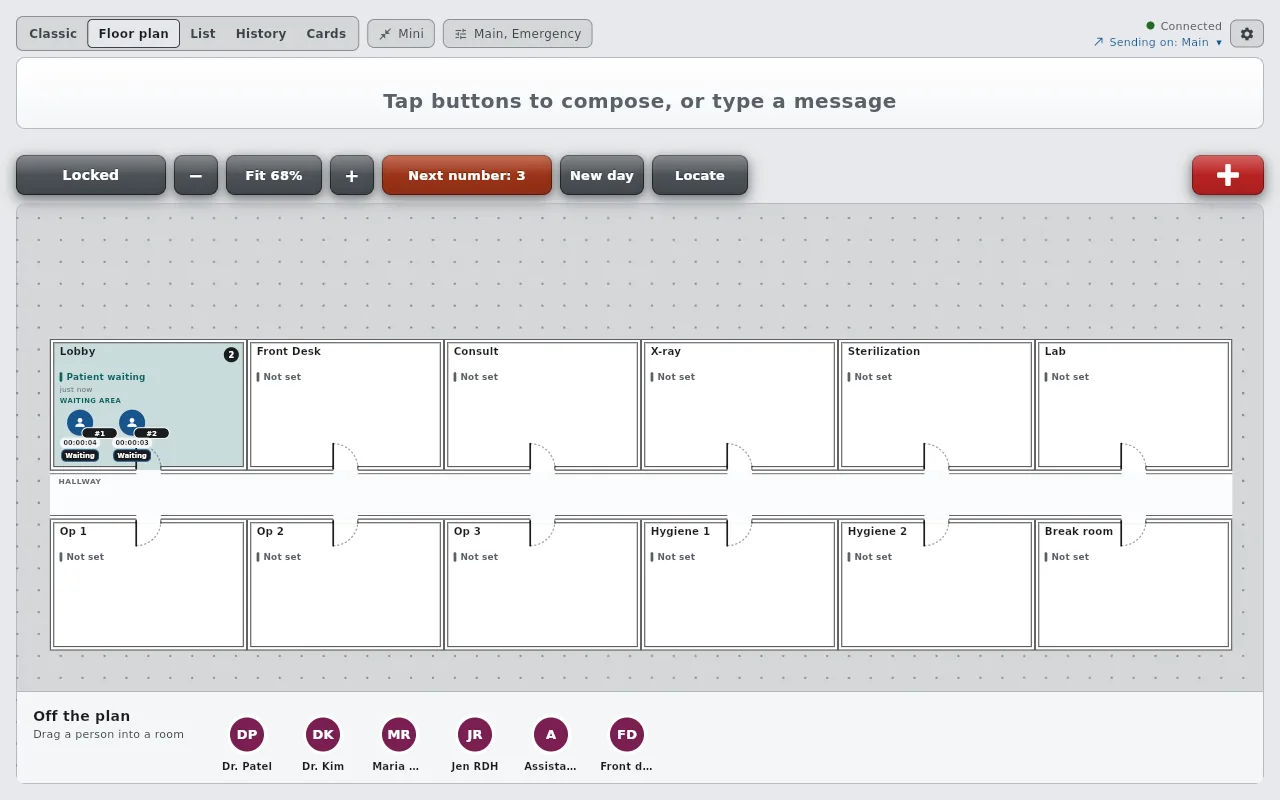
The front desk presses Next number and the patient appears in the Lobby as Patient 5, Waiting, with a clock that shows how long they have waited. A number rather than a name, so nothing on the screen identifies anyone unless you choose to rename them.
Drag the patient into Op 2 or Exam 3. Every screen shows them there, and the plan says who is waiting and who is roomed at a glance.
A patient can be Checked in, Waiting, With staff, Ready for doctor or Ready to leave, in words your office chooses. Two change on their own: entering the waiting room makes a patient Waiting, and a staff member stepping into the room makes them With staff.
Give a state minutes, such as Numbing for eight or Dilating for twenty. It counts down on every screen, then glows red and keeps counting so nobody is forgotten in a room.
When the front desk sends Patient Ready for the Lobby and the nurse answers On My Way, the patient who has waited longest comes off the board on every screen. The nurse's screen offers Undo for a few seconds, in case it was the wrong one.
New day empties the plan and starts the numbers again. Each patient's day stays in their history: which rooms, at what times, in which states.
No floor plan needed.
On the main screen, every room is a card with its state and how many patients are in it. Tap a card to add the next patient, move one to another room, rename them, set their status, or take them off the board, and Remove all clears the room. Tap a length under Timer and the card fills as the time runs down, then glows red when it runs over.
Who is in, where they are, and where they are headed.
Every doctor and assistant on your Who buttons is a person on the plan. When the front desk pages "Dr. Patel, Patient Ready, Op 2" and the doctor answers On My Way, the plan moves Dr. Patel into Op 2 on every screen, with nobody dragging anything. Locate finds anyone in one tap, and Who's in today shows who is in, at lunch or away.
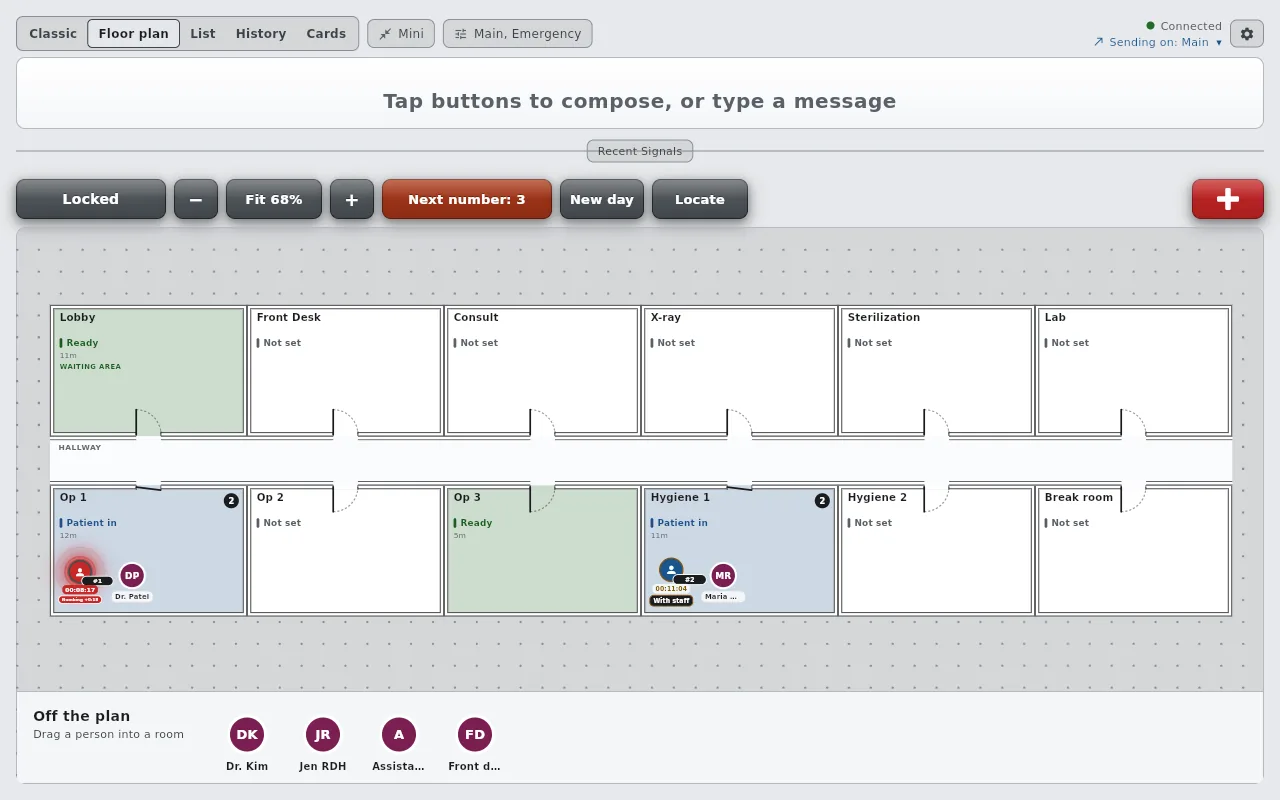
Pick the view that suits each screen.
Floor plan
List and Cards
The floor plan, the patient states and the timers work for dental, medical and ENT, eye care and veterinary offices, and for spas, where the patients are guests. See the floor plan step by step.
Yes. The front desk takes a number at check-in, the patient appears in the waiting room with a running clock, and staff drag them into rooms. States such as Waiting and With staff change on their own, timed states count down on every screen, and each patient keeps a history of rooms, times and states for the day.
Yes. Every patient on the plan carries a clock for their current state, so the front desk can see who has waited longest. A state with a timer, such as Numbing, glows red when its time runs out.
No. Patients are numbers on the plan, so nothing on screen identifies them, and AltoSignal does not store charts or PHI. An office can rename a patient on a card, so keep it to a first name or initials if you do.
Yes. When a request such as Patient Ready names the waiting room and someone answers On My Way, the patient who has waited longest comes off the board on every screen, with Undo on the answering screen for a few seconds.
No. When the doctor answers a page with On My Way, the plan moves them into the room the page named. Anyone nothing has placed for an hour shows as last seen.
The floor plan and patient tracking are included on every device at no extra cost. AltoSignal is priced per screen, with a 30-day free trial.
30 days free on the screens you already own. No credit card.
Start 30-day free trial