AltoSignal Start free trial

Walkthrough

One morning, two screens, nobody raised their voice.

This is AltoSignal doing its actual job in a two-doctor practice. The front desk runs the board on a Windows desktop. Exam 1 has an Android tablet on the wall by the chair. Follow one exchange between them, from the first tap to the acknowledgment.

The clip and every screen below are real recordings from the shipping apps and the browser version, at normal speed. The practice is a representative example, not a named customer.

26 seconds, with sound. Front desk on the left, the Exam 1 tablet on the right. Nothing is sped up or edited between the two screens.
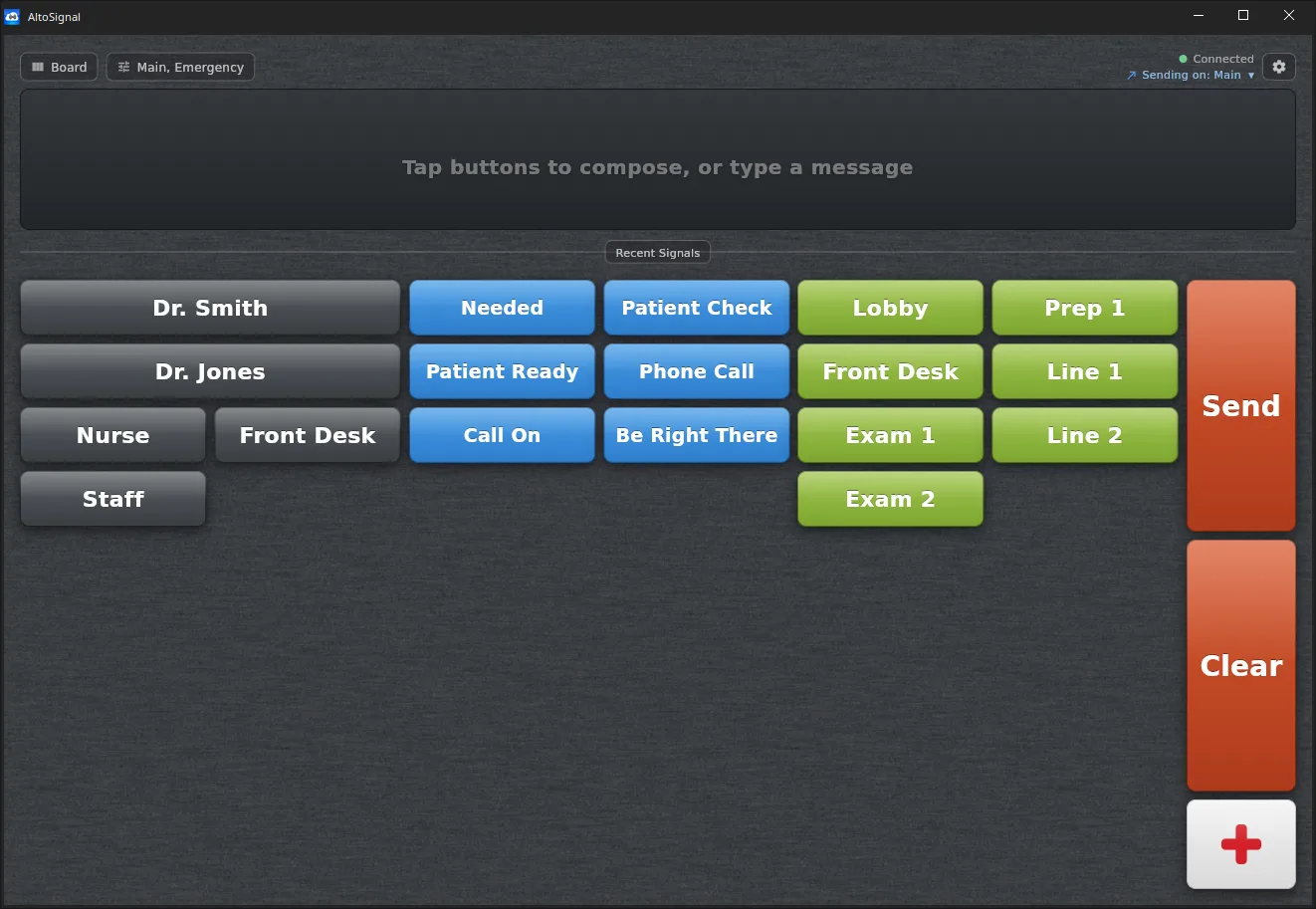
AltoSignal dental paging on a Windows desktop showing an empty message bar and the full button board: gray staff names, blue actions, green rooms, with orange Send and Clear.
Front desk, Windows desktop

01 · Before the first patient

The board is already up.

One window, open all day. The top strip shows a green Connected dot and which channel this device is sending on, so the front desk never has to wonder whether it is live.

The board itself is three columns: who, what, and where. Nothing is typed unless someone wants to type it.
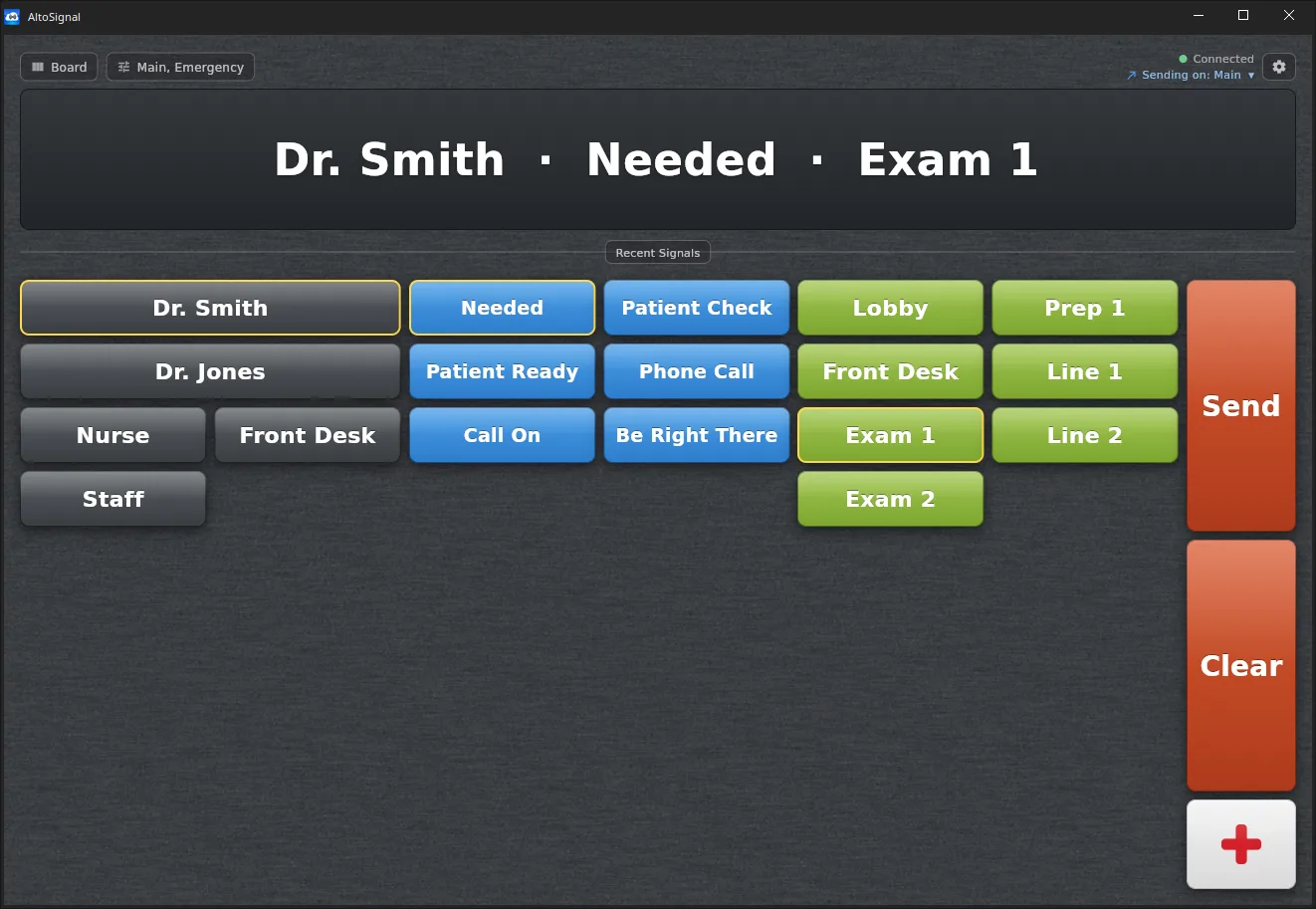
The same Windows board with Dr. Smith, Needed, and Exam 1 outlined in gold, and the composed message Dr. Smith, Needed, Exam 1 shown in large text at the top.
Front desk, Windows desktop

02 · Three taps

Dr. Smith is needed in Exam 1.

Tap the person, tap the reason, tap the room. Each selection outlines in gold and the message assembles in large type at the top of the screen, so it can be read from a step away before it goes anywhere.

Nothing leaves the desk until Send. Clear starts over.

Dr. Smith · Needed · Exam 1

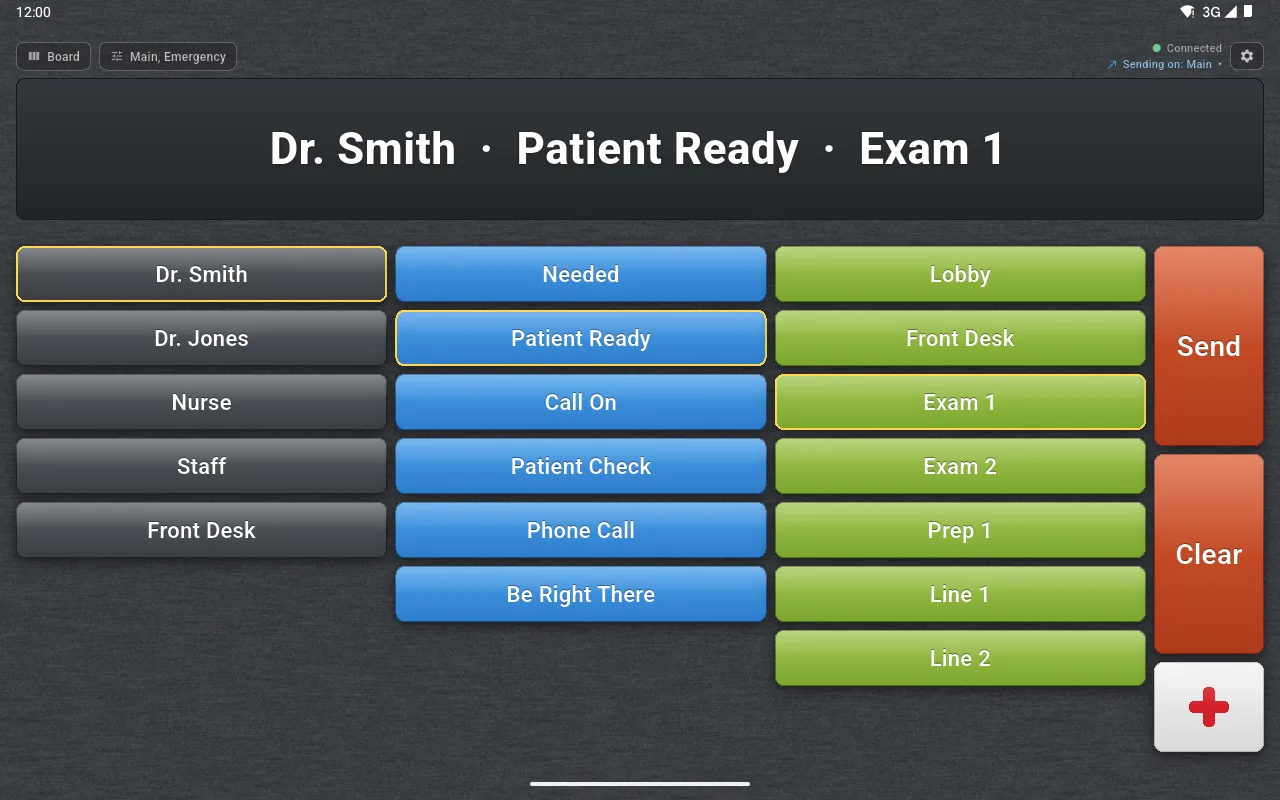
AltoSignal on an Android tablet in landscape with Dr. Smith, Patient Ready, and Exam 1 outlined in gold and the composed message shown across the top.
Exam 1, Android tablet

03 · The reply, from the chair

The assistant answers without leaving the room.

The patient is seated and the room is set. Instead of walking to the front or calling down the hall, the assistant taps three buttons on the tablet mounted by the chair and sends.

It is the same board as the front desk, because the buttons belong to the practice, not to one machine.

Dr. Smith · Patient Ready · Exam 1

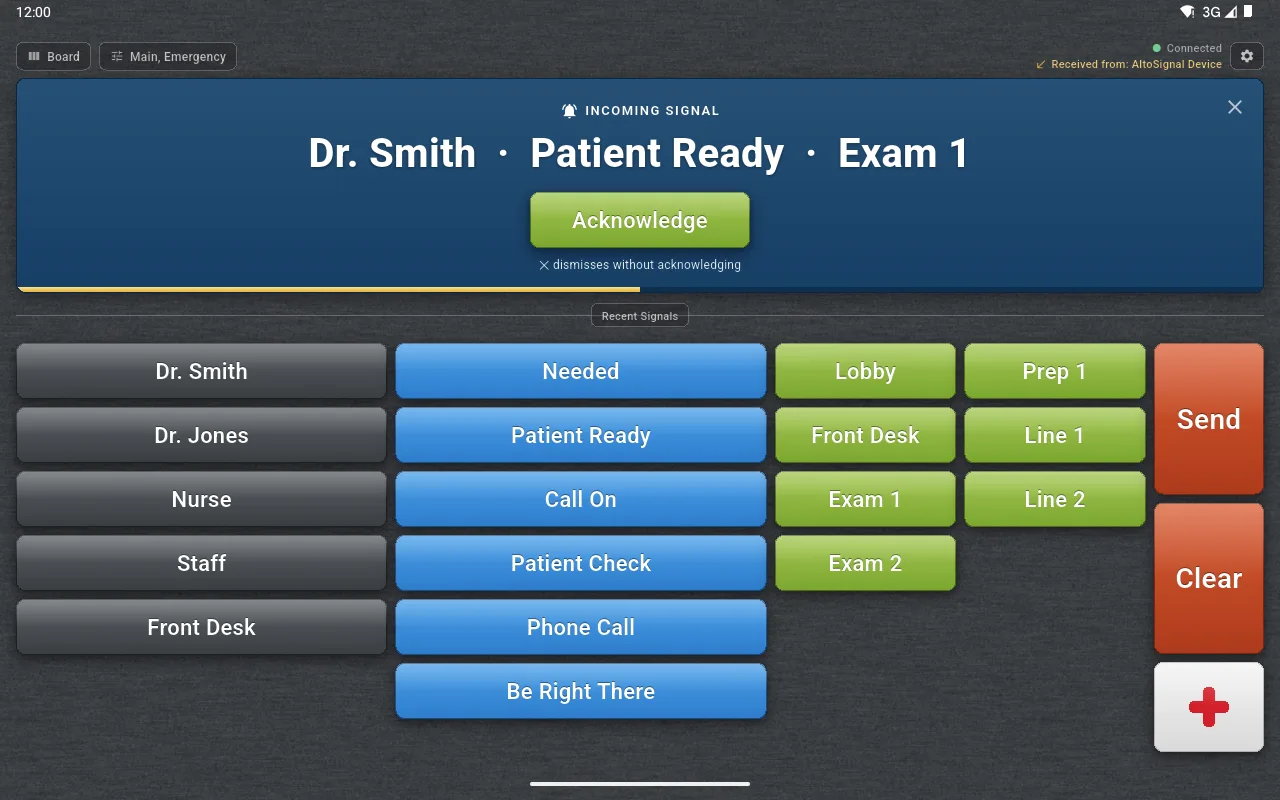
An Android tablet running AltoSignal dental paging, showing a blue full-width Incoming Signal banner reading Dr. Smith, Patient Ready, Exam 1, with a green Acknowledge button and a gold countdown bar.
Exam 2, Android tablet

04 · It lands everywhere at once

A blue banner takes the screen, with one thing to do.

On every screen listening to that channel, the message arrives large enough to read across an operatory. There is exactly one green button on it: Acknowledge. The header notes which device sent it, and a gold bar counts down before the banner clears itself.

No ringing, no overhead speaker, no patient wondering what the noise was.

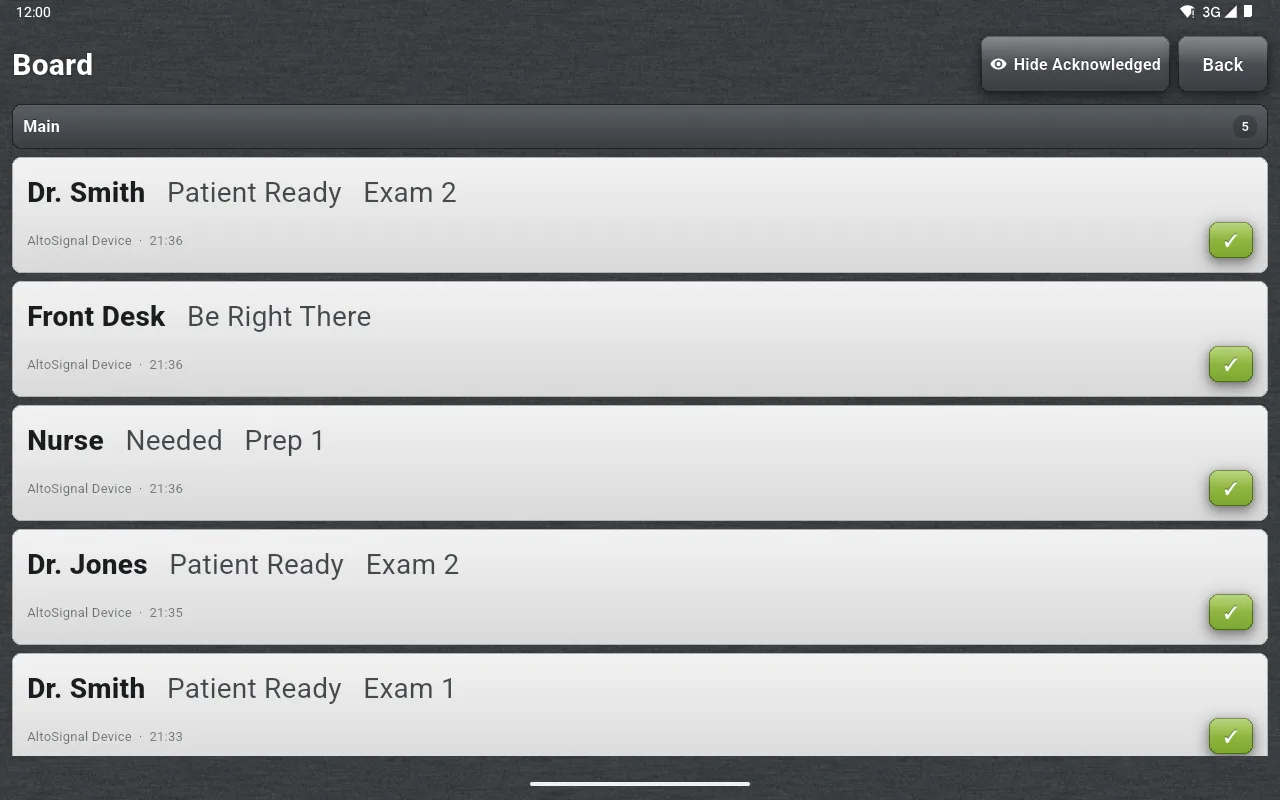
The AltoSignal Board list on an Android tablet showing five signals with sender device, timestamp, and a green check mark on each acknowledged message.
The Board, on any device

05 · Afterwards

Nobody has to remember who saw it.

Every signal lands on the Board with the device that sent it and the time it went out. A green check means somebody acknowledged it. Hide Acknowledged clears the settled ones so only what is still open remains.

That is the difference between a light on a wall and a record you can look at an hour later.

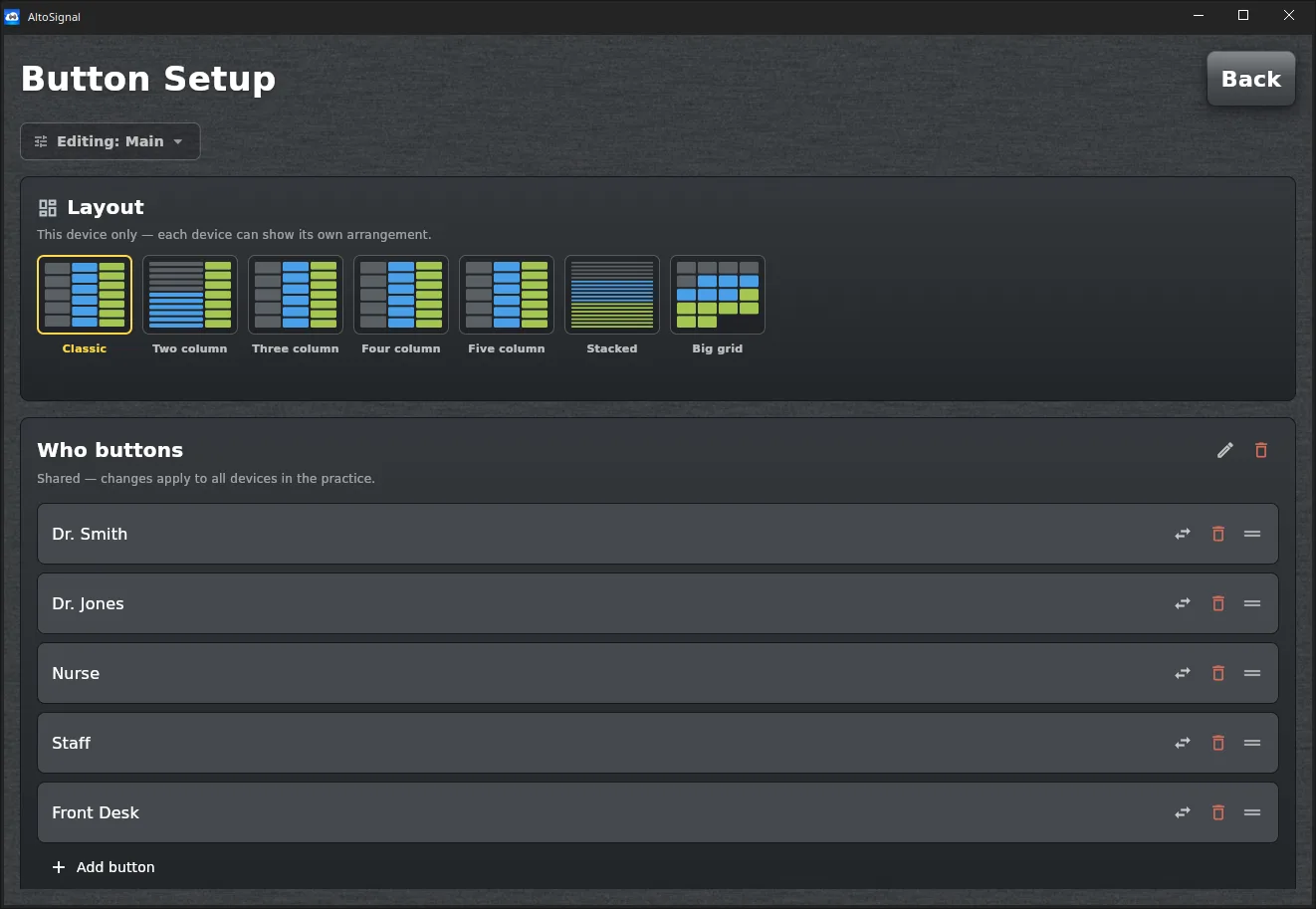
The AltoSignal Button Setup screen showing seven layout options and an editable list of Who buttons: Dr. Smith, Dr. Jones, Nurse, Staff, and Front Desk.
Button Setup, Windows desktop

06 · Set up once

The buttons are the practice's own words.

Doctor names, rooms, and the phrases the office actually says. Change a Who button and it updates on every device in the practice, so the front desk and the operatories never drift apart.

Layout stays per device, so a wall tablet can run a big grid while the front desk keeps the classic three columns.

What that exchange did not need

Two different operating systems, one board, and none of the usual hardware.

No wiring

A Windows PC and an Android tablet talked to each other over the internet. Nothing was run through the walls, and no call box was mounted.

No matching devices

The two ends were not the same platform and did not have to be. Add an iPad, a Mac, an Amazon Fire tablet, or a browser on any computer and it joins the same board.

No noise

Nothing was said out loud in front of a patient. The message was seen, acknowledged, and logged, and the operatory stayed quiet.

Run this in your own operatories.

Set it up on the screens you already own in under ten minutes. Cancel anytime, no phone call.

Start 30-day free trial

Prefer video? Watch the short guides, or see every platform AltoSignal runs on.